
CLM 365 + SharePoint IntegrationManage Contracts Right Inside SharePoint
Your team already uses SharePoint for documents, projects, and collaboration? Why switch platforms to manage contracts? CLM 365 brings contract management directly with SharePoint integration, so approvals and obligations stay in your existing workflow.

Easy Access to Documents via SharePoint
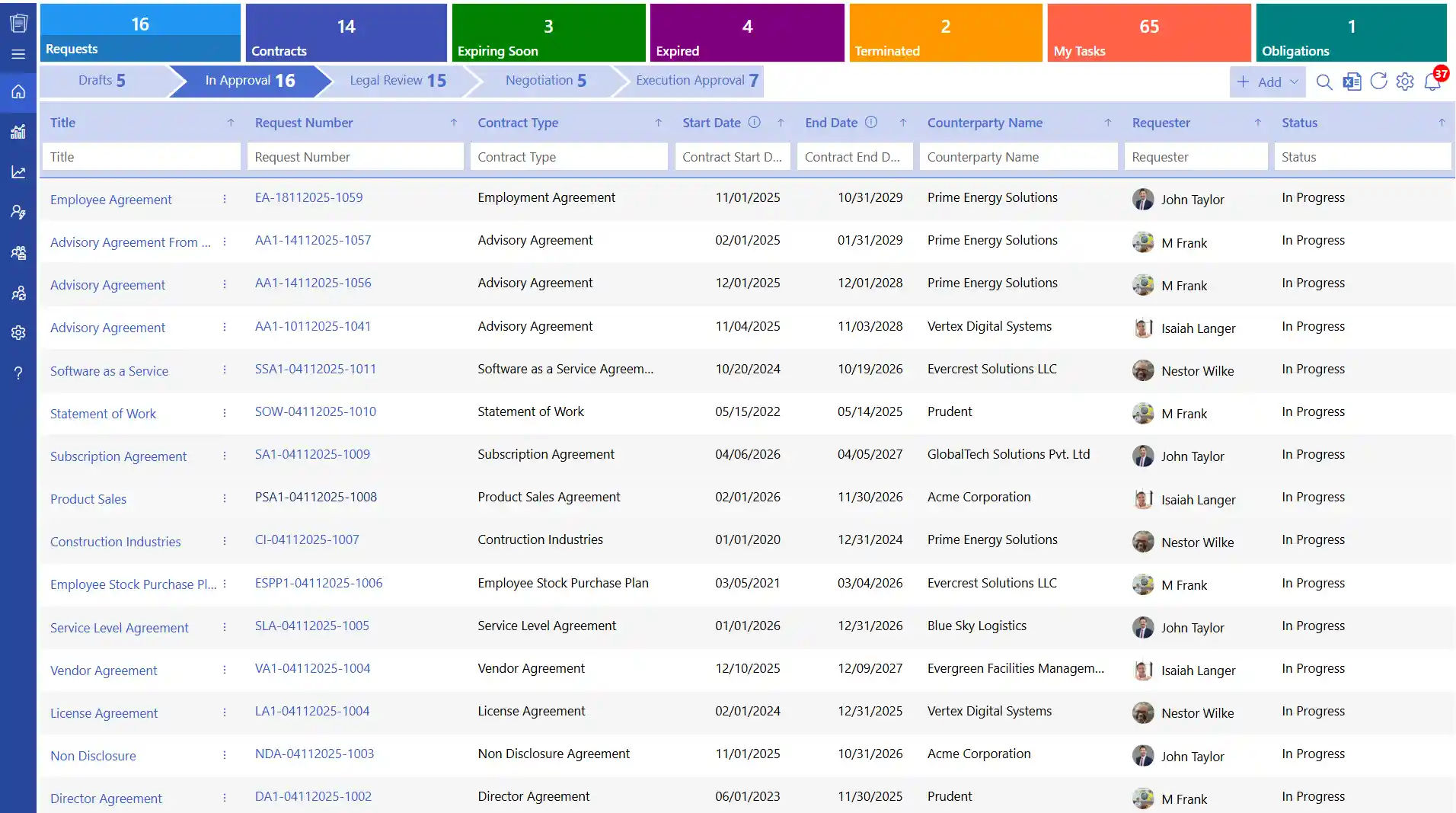
Connecting CLM 365 with SharePoint integration, becomes easy to access important contracts and documents. Agreements, clauses and supporting files can be accessed by legal and procurement teams instantly without leaving the site of SharePoint.

Simplifying Contract Workflows with SharePoint and CLM 365
By connecting CLM 365 with SharePoint contract management, users can simplify your whole contract lifecycle, speed up approvals, enhance clarity in collaboration, and track obligations automatically. Your team will have full visibility of all contracts, less manual work and make smarter and faster decisions at each phase.Â
%20(1).webp)
SharePoint Contract Management
SharePoint contract management software is a powerful solution to centralize and manage all your contracts in SharePoint. Track status of contracts, renewals, approvals, and key dates without leaving the platform, making it fully visible and easy to collaborate.
.webp)
Knowledge Base & Collaboration
Make your team have instant access to contract guides, frequently asked questions, and reference materials in SharePoint, which improves collaboration and enables them to solve problems more quickly with well-organized and easy-to-find documents.

Automated Contract Workflows
Automate the process of creating contracts, approvals renewal notifications, and routing documents by leveraging Power Automate. This reduces time wastage and streamlines your end-to-end process with an effective SharePoint contract management system.

Data Security
Protect sensitive contract information using SharePoint enterprise-level security. Maintain audit trails, control permissions and ensure that your contract processes are in line with internal policies and industry compliance standards.

Reporting & Analytics
Analyse contract performance, renewal cycles, approval times & compliance measures using the SharePoint contract management software reporting & dashboard features. Make data-driven decisions to optimize end-to-end contract management process.

SharePoint CLM 365 – The Key to Faster Contract Management
The integration of SharePoint contract management with CLM 365 makes contract management more structured and efficient. Contracts, updates and workflows are visible to teams in one repository to assist them in completion of work quickly and with greater transparency.Â
SharePoint’s reliable document control paired with CLM 365’s smart features gives teams better clarity and support throughout the contract process, allowing approvals and decisions to happen sooner.Â

Frequently Asked Questions
What are the benefits managing agreements with SharePoint integration?
SharePoint provides a single point of document storage, organization and access. Teams have the advantage of enhanced teamwork, file security, automated processes, versioning, and integration with Microsoft 365 applications. Â
Is managing contracts secure with SharePoint integration?
Yes, SharePoint has enterprise-level security controls including role-based access controls, data encryption, audit logs, and compliance controls. Such protection measures are useful in safeguarding sensitive contract data and enable organizations to control user access with accuracy.Â
Does SharePoint contract management solution provide version control?
Yes, the system has a built-in version control that monitors all changes that have been done on a contract. It provides complete transparency and accuracy during contract lifecycle.Â
How can SharePoint integration help centralize contract storage?
SharePoint offers a centralized, and structured repository on which all the contracts and other related documents can be saved using organized metadata, folders and libraries.  Â
How do I migrate existing contracts into SharePoint?
You can log in to the CLM 365 application, select the bulk contract upload option, and upload contracts using file names stored in a file. Here is how it works,
- Move a number of files simultaneously using bulk uploads. Â
- Add metadata (contract type, department, renewal date) to file.
- Store contracts in organized folders or libraries so that they can be easily accessed. Â
- Link imported contracts to approvals, reminders and tracking workflows.Â





