

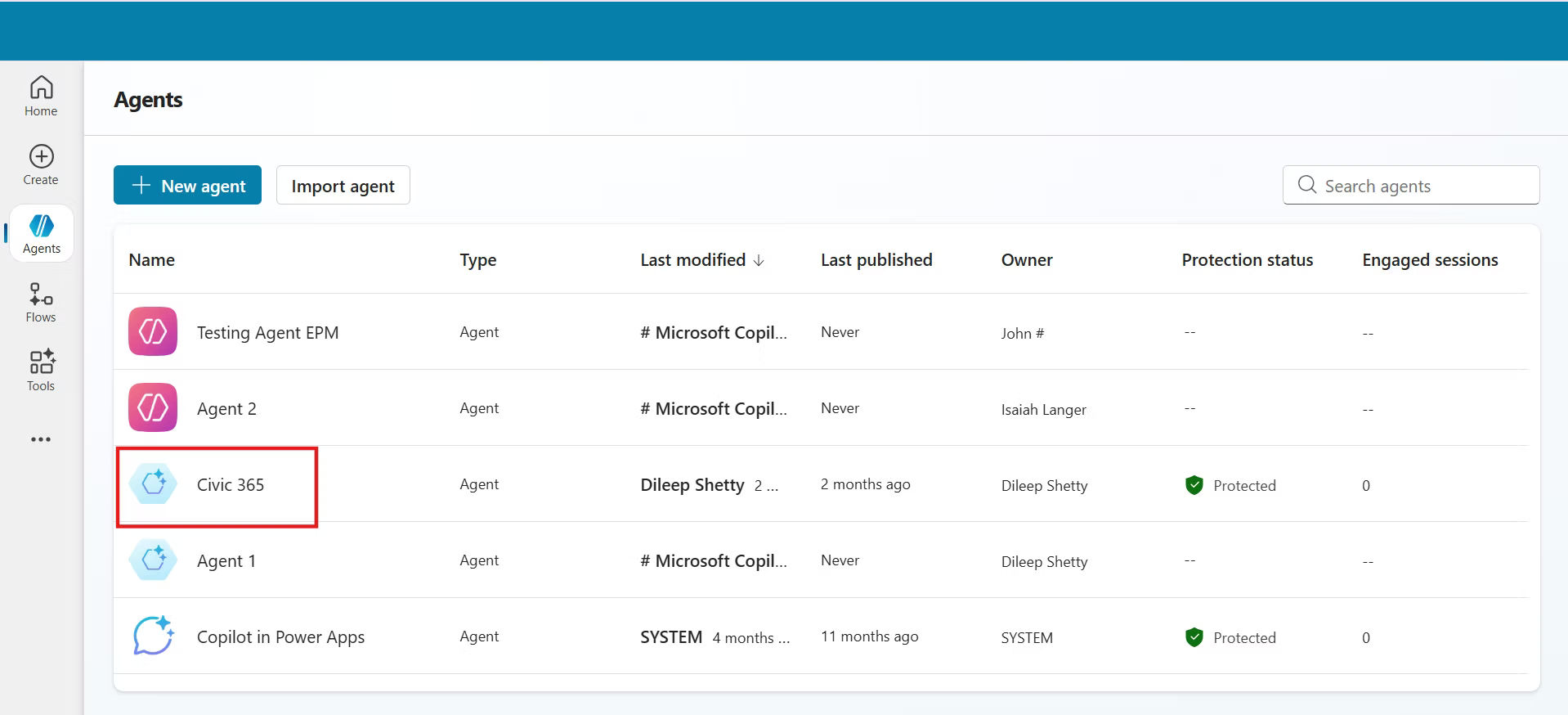
Civic 365 + Copilot AI-Driven Citizen Support Made Simple
The best way to upgrade Civic 365 is through AI-driven Copilot technology which will create better solutions for managing citizen services. The combination of Microsoft Copilot Integration and SharePoint Copilot enables users to create case summaries, write responses and search for information directly from their work environment.
Smarter Citizen Service with Copilot
Civic 365 with Copilot AI streamlines citizen request management by summarizing cases, suggesting responses and finding past answers. Microsoft and SharePoint Copilot make workflows seamless, letting staff focus on helping people. The system automates requests, monitors issues, and improves response times while reducing manual work.
Work Smarter with Copilot in Civic 365
Use Copilot AI in Civic 365 to automatically route requests, track issues and suggest answers. This makes responses faster and reduces manual work.
%20(1).webp)
Effortless Request Tracking
Civic 365 with Copilot AI provides complete tracking of citizen requests which starts from their submission and ends when their resolution is complete. Your team always knows what is next and can respond faster.

Easy-to-Use Custom Forms
You should develop straightforward forms that use Copilot technology in SharePoint to enable citizens to submit their concerns with all necessary information. Better information means quicker, more accurate service.

Intelligent Ticket Sorting
Let Microsoft Copilot automatically review, sort requests based on their type and urgency. This ensures every request goes to the right department without extra manual work.

Level-Based Request Routing
Civic 365 uses Copilot AI to organize requests into levels, helping teams prioritize and route them instantly. High-priority items reach the right staff right away.

Split & Merge Made Smarter
With Copilot Search and Microsoft Copilot, you can break large, complex requests into smaller tasks or merge related issues into one. This keeps your workflow clean and makes solving problems faster.

Copilot Integration Made Simple
Civic 365 becomes even more powerful with Microsoft Copilot built in. Copilot AI helps your team plan tasks, track progress and stay organized without any extra tools.
With Copilot in SharePoint, you can easily find files, updates and past work using Copilot Search all from one place. Your team can manage tasks, follow updates and stay connected with a familiar Microsoft experience. Copilot gives instant suggestions, clear summaries, helpful guidance, making it easier for everyone to stay productive and know what to do next. Everything feels natural, simple, and fast.
Copilot takes smart suggestions into real productivity gains
Using Microsoft Copilot and Copilot Search, teams can reply faster, find what they need instantly and handle citizen requests with much less effort.
Frequently Asked Questions
What is Civic 365 with Copilot AI?
Civic 365 with Copilot AI is a modern citizen-service management platform powered by Microsoft Copilot and SharePoint Copilot. It helps government teams respond faster, automate request routing and deliver smoother, smarter citizen support.
What is Copilot AI in Civic365?
Copilot AI in Civic365 is an AI assistant that helps users automate tasks, analyze data and get answers quickly using simple prompts.
How does Copilot AI work in Civic365?
Copilot AI uses natural language processing to understand user questions and generate helpful responses, insights or actions within Civic365.
How does Copilot improve citizen service operations?
Copilot summarizes cases, suggests responses, finds past answers instantly, keeps all information organized. This reduces manual work, cuts response time and allows staff to focus on helping citizens instead of paperwork.
What is Copilot AI?
Copilot AI is an AI-powered assistant that helps users complete tasks faster by understanding natural language and generating responses, insights or automated actions.
How does Copilot AI work?
Copilot AI uses machine learning and natural language processing to understand user prompts and provide helpful outputs such as summaries, reports or suggestions.
Can Copilot automatically route and sort citizen requests?
Yes. Copilot uses AI to review incoming requests, understand urgency, categorize them and route each one to the correct team or level. This automation eliminates slow, manual sorting.
How does Copilot Search help my staff?
Copilot Search allows employees to instantly locate files, forms, past cases, documents, and communications within SharePoint and Civic 365. It reduces time spent hunting for information and boosts productivity.
What are the benefits of using SharePoint Copilot with Civic 365?
SharePoint Copilot helps teams:
- create custom forms
- locate data faster
- view past updates
- collaborate using familiar Microsoft tools
Does Copilot help track citizen requests?
Absolutely. Copilot gives complete visibility into every request from submission to resolution, so teams always know the next step and can respond more efficiently.
Can Copilot split or merge complex requests?
Yes. Copilot can break large, multi-part requests into smaller tasks or merge related issues into one case. This keeps workflows clean and ensures issues are resolved accurately.
How does Copilot support geo-based government teams?
Copilot helps local, regional and national agencies by analyzing request types, routing them by geography, priority, or department and ensuring that citizens get location-specific responses quickly.
Is Copilot easy for government staff to adopt?
Yes. Copilot runs directly inside familiar Microsoft tools such as Outlook, Teams, SharePoint, and Civic 365. It is easy to learn, so your team can start using it quickly
How does AI automation reduce manual work in Civic 365?
- Sorting tickets
- Routing requests
- Generating summaries
- Recommending solutions
Can citizens submit forms more easily with Copilot?
- Yes. SharePoint Copilot helps organizations build simple, user-friendly digital forms. Better submissions mean faster, more accurate service for citizens
Does Copilot help agencies stay compliant and organized?
Yes. Copilot keeps case records organized, maintains consistent documentation, ensures teams follow structured workflows. This supports compliance, reporting and quality assurance.
What makes Copilot valuable for digital transformation?
Copilot streamlines daily operations, boosts staff productivity and improves citizen satisfaction all without requiring complex new systems. It acts as an AI-powered assistant across the entire service lifecycle.
How can I see a demo of Civic 365 + Copilot integration?
Use the “See the Integration Live” option to view a real demonstration of how Copilot works inside the Civic 365 platform and how it enhances daily operations.
How can I talk to someone about implementing Copilot?
Select “Talk to Our Team” to connect with experts who can guide your organization, answer questions and help you plan a tailored Copilot-powered solution.





